Bots Are Overloading Library Websites. Here's What Worked for Ours.
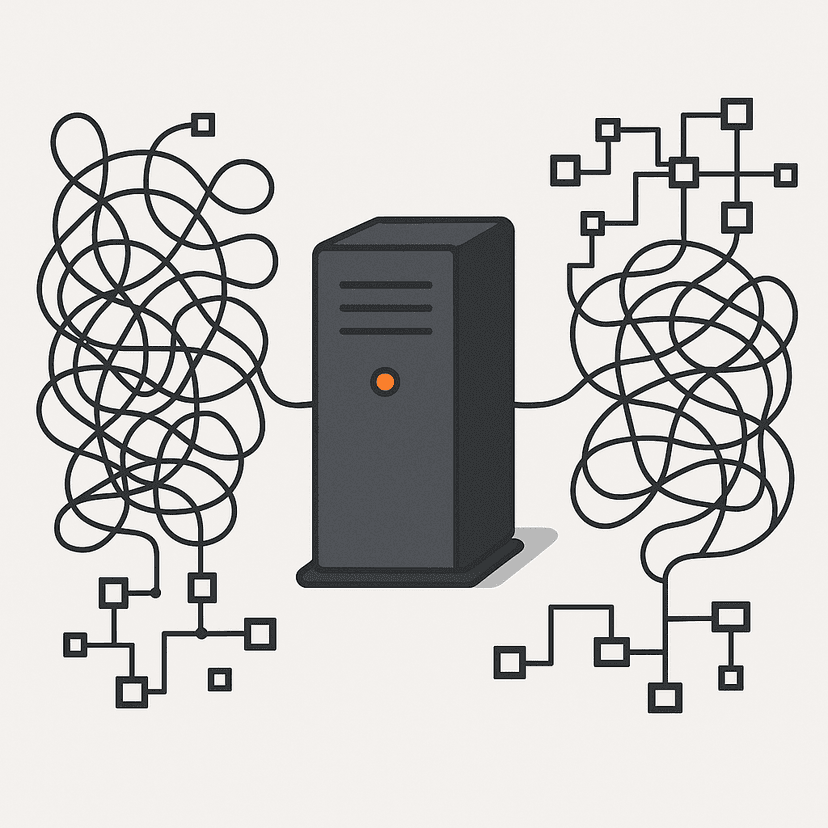
For most of this summer, bots have been overloading our library's website and wreaking havoc.
Nobody attacked us. Nothing was hacked. The traffic looked, on paper, like a lot of people reading a library website at once. It wasn't people.
I build and look after the websites for Marshall District Library: the main site at yourmdl.org, which is WordPress; the digital archive at archive.yourmdl.org, built on Omeka S; and the sports archive at sports.yourmdl.org, a custom application built on Django. The WordPress site took the brunt of it, and that's where most of the work happened, but the same principles apply to all three and, I'd argue, to every library and nonprofit website in 2026.
A lot of people are talking about this right now. Here's what's happening, why the old fixes don't work, what kept our sites up, and what to ask for from whoever runs yours.
The problem: traffic that looks like people
A scraper is a program that visits a website and downloads pages as fast as it can, usually to build a dataset. Right now the biggest reason to build datasets is training AI models, and the appetite is enormous.
Scrapers aren't new. What's new is how they behave. The old ones announced themselves ("I'm Google's crawler"), read the rules you posted, and paced themselves. The new wave does none of that. It spreads its requests across hundreds or thousands of ordinary home internet connections, each one asking for only a handful of pages, each one claiming to be a normal person using Chrome. Duke University Libraries describes it the same way on a page written for its patrons: bots "sending a ton of requests from thousands of individual IP addresses, disguised as real browsers, at a very fast pace," until the sites "become very slow or stall out entirely."
No single visitor looks wrong. Only the total does. And by the time the total is obvious, the site is already down.
The numbers back this up. Cloudflare, which sits in front of a large share of the web, reported this year that more than half of all Internet traffic is now non-human, and that 52% of crawler requests are for AI training, up from 22% in spring 2025. Some AI crawlers fetch thousands of pages for every single visitor they send back. Wikimedia, which runs Wikipedia, found that bots account for about a third of its page views but at least 65% of its most expensive traffic, because bots "bulk read" the obscure pages nobody has cached. Cloudflare's own defaults tell you where this is going: starting September 15, new sites on its network will block AI training crawlers by default on pages that carry ads. The polite era is over.
It's hitting libraries everywhere
This isn't a story about one library. A 2025 survey of 43 museums, libraries, and archives found that 39 had seen recent traffic spikes, and 27 of those pointed at AI scrapers. Many "did not realize they were experiencing a growth in bot traffic until the traffic reached the point where it overwhelmed the service and knocked online collections offline."
Library Journal covered the same wave last summer. The University of North Carolina's catalog was getting so much traffic it was "periodically shutting out students, faculty, and staff." Project Gutenberg had outages. OAPEN, an open-access book platform, was down for almost two days. ByWater Solutions, which hosts the Koha and Aspen catalog systems for a lot of public libraries, told LJ it was putting Cloudflare in front of every customer to cope. Their cofounder's summary: any site you don't have to log in to is "getting hammered."
It isn't only the big institutions, either. Closer to home, librarians around Michigan tell me MeL — the Michigan eLibrary that libraries across the state depend on — has been seeing the same thing: servers loaded down by scraping. Whole Whale, an agency that works with nonprofits, measured one client's site and found that after bot traffic doubled in six months, only 2% of the server costs were serving verified humans. If your library's website has felt slower this year, this is probably why.
Why library websites get hit hardest
Most library websites have at least one feature that can produce an effectively unlimited number of pages: an event calendar, a catalog, a digital collection with a page per item, a store with filters. Our calendar has a couple hundred real events. A crawler doesn't know that. It clicks "next month," then "next month" again, into 2031, across every category and every view. It walked tens of thousands of pages of a calendar that has a couple hundred things on it.
Event calendars are a known trap. Hosting company Conetix warns that one popular WordPress calendar plugin "can add hundreds to thousands of extra pages to your website," and that crawling them can "cause your website to stop responding." A developer writing about it this June put the mechanics well: the calendar renders previous/next links "with no terminus, so a crawler that follows links never runs out of calendar to follow." One site owner on the WordPress support forums reported 18,000 hits in a day, all on calendar links, for a site with 30 pages that normally sees a few hundred visits a month. Catalog search pages are the same trap with a different door: UNC found bots running searches with 15, 20, 25 filters at once, which no human does.
Every one of those pages was built fresh, on request, by our server pulling from our database. A person asks for a few pages. A scraper asks for all of them at once and never gets tired.
The server didn't fail because it was weak. It failed because it was asked to do an unlimited amount of work by a visitor that doesn't exist.
Why the usual fixes didn't work
Here's what we already had in place, and why none of it held.
A robots.txt file. This is a note on the front door asking crawlers to behave. Polite crawlers read it. These didn't, and they never said who they were, so there was nobody to ask.
Blocklists. You can block visitors by the name they give or the address they come from. That only works if you know what the bad traffic looks like in advance. Ours looked like Chrome, on a home connection, in a suburb. Blocking that means blocking your patrons. UNC's team wrote that "if we banned one IP address, the traffic would often shift to an adjacent one." They banned 16,000 addresses in 48 hours and it still wasn't enough.
Rate limits. You can cap how many pages any one visitor can request. But when the load is spread across thousands of visitors each asking for a little, nobody trips the limit.
A bigger server. This is the instinct, and it's the one that costs the most. Eric Hellman, a longtime library technologist, put it plainly: "If you add capacity, they just ramp up their requests." The survey said cultural institutions "are not resourced to continue adding more servers, deploying more sophisticated firewalls, and hiring more operations engineers in perpetuity."
Every one of those defenses depends on knowing what the attacker looks like. The whole design of this traffic is to look like nothing in particular.
Fix one: stop the traffic out front
The fix that mattered most doesn't run on our web server at all. It runs in front of it.
Most modern hosting lets you put a layer between the public and your actual server: a content delivery network and a web application firewall, usually shortened to CDN and WAF. Instead of asking a visitor where are you from or what do you call yourself, that layer asks are you a real web browser? It runs a quick check that a real browser passes automatically, without the person ever seeing it. A scraping script either fails the check or has to run a full browser for every single page, and doing that for tens of thousands of pages, across every site it's scraping, gets expensive fast.
That's the one thing a mass scraper can't fake cheaply. New addresses are cheap. New names are free. Behaving like a real browser at scale costs real money.
There are several ways to get this, and most don't require a developer:
- Cloudflare is the most common, and the free plan covers a lot. Bot Fight Mode challenges suspicious traffic, a single toggle blocks known AI scrapers and crawlers, and since July you can allow or block AI crawlers by category (training, search, agents) from the dashboard. UNC put Cloudflare's Turnstile check in front of its catalog and wrote that "server load returned to normal levels within hours."
- AWS CloudFront with AWS WAF is what we use. Its Bot Control rules include a challenge action that runs the browser check silently. The right fit if your site already lives on AWS or you have someone who knows it.
- Vercel's firewall does the same for sites hosted there, which is where our two Next.js sites live: a bot-protection ruleset that challenges non-browser traffic, and a separate one that blocks known AI crawlers.
- Your managed WordPress host may already have it. Kinsta added free bot protection on every plan this June, with a "Challenge Bots" level. WP Engine rate-limits high-impact bots platform-wide. If you're on a managed host, ask what's turned on.
- Your catalog vendor should be doing this for you. ByWater putting Cloudflare in front of all its Koha and Aspen customers is the model. If your catalog or discovery layer is vendor-hosted, ask what sits in front of it.
- Anubis is a free, open-source option for institutions that run their own servers and would rather not route through a commercial provider. It makes each browser solve a small puzzle before the page loads. Duke's digital repositories, UNESCO, and the Linux kernel's own sites use it.
The second half of this decision matters just as much: we deliberately stopped adding rules on the server itself. Every rule the server has to evaluate costs it a little of the exact resources it's running out of. A check done out front costs the server nothing, because the request never arrives.
Nothing catches everything. But once this was in place, the load reaching our server fell sharply and the havoc stopped.
Fix two: build sites the server doesn't have to answer for
The WordPress site builds every page on request. That's how WordPress works, and it's fine for people. It's the worst possible design for scrapers.
Our other two sites are built differently, and it's a big part of why they weren't the ones struggling.
The archive at archive.yourmdl.org runs on Omeka S, but the public never talks to Omeka S directly. The site visitors see is a separate front end, built with Next.js and hosted on Vercel, that pre-builds pages and serves saved copies from a global network. The sports archive works the same way: a Django database and API behind, a Next.js front end on Vercel out front. The technical term is "headless," which just means the database and the public website are two different things.
Think of it as the difference between retyping a document every time someone asks for it and handing them a printed copy. When a scraper downloads ten thousand pages from the archive, it's collecting ten thousand printed copies from a network built to hand out printed copies. The archive's own server only gets involved when the content changes, not when a visitor shows up.
You don't have to rebuild everything to get some of this:
- Full-page caching plus a CDN gets a WordPress site part of the way. Most managed WordPress hosts do this by default, and Cloudflare can. It won't save a calendar, because every "next month" page is one the cache has never seen, but it protects the pages people actually visit.
- Calendar settings. Many calendar plugins let you limit how far into the future the calendar goes and tell polite crawlers to skip the date views. It doesn't stop the impolite ones, but it shrinks the trap.
- Headless or static for the next redesign: keep WordPress, Omeka, or whatever staff edit in as the place content is written, and serve the public a pre-built site from Vercel, Netlify, or Cloudflare Pages. This is more work up front and it isn't how most library sites are built. But if you're planning a redesign, it's the single most valuable thing to ask for. Not a faster server. A design where most visits never reach the server at all.
Fix three: put a floor under the server
Last, and only last, we tuned the server. This is where I'd started, and where a lot of advice starts. I now think that's backwards.
Every web server has a setting for how many visitors it will try to serve at the same time. Managed hosts usually call it "PHP workers." Ours was on the stock default, which quietly assumed a machine roughly ten times bigger than the one we have. So when the scraper wave hit, the server did exactly what it was told: it tried to serve everyone at once, ran out of memory, and served no one.
We set that limit to what the machine can actually handle. The counterintuitive part is that the site got faster for real people, because a server that takes on a manageable amount of work finishes it, and a server that takes on everything finishes nothing. I measured our busiest real days before making the change. Actual humans reading a library website don't show up a hundred at a time.
If you're on a managed host, this is already set for you; the question is whether your plan's limit matches your real traffic. If you run your own server, ask whoever set it up whether that limit was ever tuned. Often it's still the default.
More importantly, the site now has a floor. When something gets past the front door, and something always will, the site gets slower instead of going dark. Slow is the failure mode I chose. Dead was the one the defaults chose for me.
Questions to ask whoever runs your website
If you're a director or a marketing lead and this is your vendor's or your IT department's problem, these are the questions I'd ask. You don't need to understand the answers in detail. You need to hear that someone has thought about them.
- Where is bot traffic being stopped: in front of our server, or on it? Out front is the right answer.
- Are we telling real browsers apart from scripts, or just keeping a list of bad names and addresses? Lists don't work anymore.
- Which parts of our site can generate an unlimited number of pages? Calendars, catalogs, collections, filters. Each one needs protecting.
- When traffic spikes, does the site slow down or go down? There should be a limit that makes the answer "slow down."
- If we redesign, can the public site be served as pre-built pages so most visits never touch the database? That's the headless approach above.
- Do we actually know what share of our traffic is people? Most sites don't, and the answer is usually a surprise.
The part that matters
Libraries put things on the web for free, on purpose. Event calendars, digital archives, catalogs, local history: they exist so anyone can use them without asking permission. That openness is exactly what makes us cheap to harvest and expensive to defend, and nobody scraping us is paying for the privilege.
I don't think the answer is to close the doors. I think it's to stop the traffic out front, build sites that don't ask the server for every page, and put a floor under the server for the day the front door leaks. That's a manageable list, even for a library.
If you run a library, a museum, or an agency that builds for them and you're seeing this, I'm happy to compare notes.
Sources
- Cloudflare — Content Independence Day, one year on (non-human traffic passing 50%; 52% of crawler requests for training as of June 2026)
- Cloudflare Radar — Bot Traffic (crawl-to-refer ratios by AI crawler)
- Cloudflare Changelog — New options to manage AI traffic (September 15, 2026 default changes)
- Cloudflare — Block AI bots, scrapers and crawlers with a single click (available on the free plan)
- Help Net Security — Cloudflare changes AI crawler access rules (per-category AI crawler controls on all plans, July 2026)
- GLAM-E Lab — Are AI Bots Knocking Cultural Heritage Offline? (2025 survey of 43 institutions; resourcing quote)
- Library Journal — AI Bots Swarm Library, Cultural Heritage Sites, Causing Slowdowns and Crashes (UNC, Project Gutenberg, OAPEN, ByWater, Eric Hellman)
- Code4Lib Journal — Mitigating Aggressive Crawler Traffic in the Age of Generative AI (UNC Chapel Hill Libraries, October 2025; IP bans, facets, Turnstile)
- Duke University Libraries — Impact of bots
- Wikimedia — How crawlers impact the operations of the Wikimedia projects (65% of resource-intensive traffic from bots)
- Whole Whale — Is Your Nonprofit Site Giving a Free Lunch to AI Crawlers? (2% of server costs serving verified humans)
- Conetix — Preventing excessive bot crawling for The Events Calendar links
- Web321 — The Infinite Calendar: Why Event Plugins Quietly Hammer Your Server (June 2026)
- WordPress.org support — calendar links hit thousands of times by bots
- Kinsta — Bot Protection included free on all plans (June 2026)
- Search Engine Land — Your managed WordPress might be blocking AI bots (WP Engine, Kinsta, Pressable, Pantheon policies, May 2026)
- Vercel — Bot Management (bot protection and AI bots managed rulesets)
- AWS WAF — Bot Control and Challenge rule action
- Anubis (software) — Wikipedia (open-source proof-of-work gate; adopters)