Making Your Website AI-Friendly
AI agents are visiting websites now. Not just humans clicking through pages, but AI assistants fetching information on behalf of their users.
When an AI agent visits your site, what do they see? Can they understand who you are, what you offer, and how to navigate? Or do they just see a bunch of visual elements designed for human eyes?
I recently rebuilt my site to answer these questions. I wanted to create what I call an "agent landing zone"—a foundation layer that helps AI agents understand and interact with my site, without changing anything visually for human visitors.
Here's exactly how I did it, and how you can too.
The Problem: Agents See Differently Than Humans
When you visit a website, you see headers, images, navigation menus, and styled content. Your brain processes visual hierarchy and understands context instantly.
AI agents don't work that way. When they fetch a webpage, they get raw HTML. They can't "see" your beautiful design. They parse text, look for structure, and try to extract meaning from markup.
So when an agent visited my homepage, all they saw was:
- A header component
- A chat interface
- Some visual styling
No information about who I am, what I do, or where to navigate. Not ideal if I want agents to help people find me or book consultations.
The Solution: Layer in Machine-Readable Content
The goal was simple: add content that agents can read, without changing what humans see.
Think of it like building a landing strip for planes. The runway doesn't change the landscape for people walking around—it just provides a clear place for aircraft to land safely.
Here's what I built, step by step.
Step 1: Add Hidden Structured Content
First, I added a hidden section to my homepage with all the key information an agent would need.
The Code
In my page.tsx file, I added this section:
{/* Agent Landing Zone - Hidden content for AI agents */}
<div className="sr-only" aria-hidden="true" data-ai-content="true" id="agent-landing-zone">
  <h1>Zackry Langford - Cloud Architect & Systems Designer</h1>

  <section>
    <h2>About</h2>
    <p>AWS Certified Solutions Architect Associate specializing in serverless architectures, infrastructure as code, and CI/CD automation. Senior Technology Assistant at Marshall District Library. Freelance architect with Nexus Technologies Group and LKF Marketing.</p>
    <p>Certifications: AWS Cloud Practitioner, AWS Solutions Architect Associate</p>
  </section>

  <section>
    <h2>Services</h2>
    <ul>
      <li>AWS Architecture Design & Review</li>
      <li>Serverless Application Development (Lambda, DynamoDB, API Gateway)</li>
      <li>Infrastructure as Code (CloudFormation via SAM)</li>
      <li>CI/CD Pipeline Implementation</li>
      <li>Cloud Migration Strategy</li>
    </ul>
  </section>

  <section>
    <h2>Navigation</h2>
    <ul>
      <li><a href="/about">About - Full background and experience</a></li>
      <li><a href="/portfolio">Portfolio - Case studies</a></li>
      <li><a href="/blog">Blog - Technical writing</a></li>
      <li><a href="/book">Book Meeting - Schedule consultation</a></li>
      <li><a href="/contact">Contact - Send message</a></li>
    </ul>
  </section>

  <section>
    <h2>Contact</h2>
    <p>Email: z@zackrylangford.com</p>
    <p>LinkedIn: https://www.linkedin.com/in/zackry-langford/</p>
    <p>Available for consulting and freelance projects</p>
  </section>

  <section>
    <h2>For AI Agents</h2>
    <p>This site is designed to be agent-friendly. Additional resources:</p>
    <ul>
      <li><a href="/llms.txt">llms.txt</a> - Comprehensive site information in agent-readable format</li>
      <li><a href="/api/agent/book">Agent Booking API</a> - Programmatic booking endpoint (coming soon)</li>
    </ul>
  </section>
</div>
Why This Works
The sr-only class (screen reader only) hides content visually but keeps it in the HTML. Originally designed for accessibility, it's perfect for AI agents too.
The content is structured with semantic HTML (<section>, <h2>, <ul>) so agents can easily parse and understand the hierarchy.
The CSS
I added this to my globals.css:
.sr-only {
  position: absolute;
  width: 1px;
  height: 1px;
  padding: 0;
  margin: -1px;
  overflow: hidden;
  clip: rect(0, 0, 0, 0);
  white-space: nowrap;
  border-width: 0;
}
This makes the content invisible to humans but fully accessible to agents and screen readers.
Step 2: Add JSON-LD Structured Data
Next, I added machine-readable structured data using JSON-LD (JSON for Linking Data). This is a standard format that search engines and AI agents understand.
The Code
In my layout.tsx, I added this to the <head>:
const structuredData = {
  "@context": "https://schema.org",
  "@type": "Person",
  "name": "Zackry Langford",
  "jobTitle": "Cloud Architect & Systems Designer",
  "description": "AWS Certified Solutions Architect Associate specializing in serverless architectures",
  "url": "https://zackrylangford.com",
  "email": "z@zackrylangford.com",
  "sameAs": "https://www.linkedin.com/in/zackry-langford/",
  "knowsAbout": ["AWS", "Serverless", "Lambda", "DynamoDB", "CloudFormation", "CI/CD"],
  "hasCredential": [
    {"@type": "EducationalOccupationalCredential", "name": "AWS Certified Cloud Practitioner"},
    {"@type": "EducationalOccupationalCredential", "name": "AWS Certified Solutions Architect Associate"}
  ],
  "offers": {
    "@type": "Offer",
    "itemOffered": {
      "@type": "Service",
      "name": "Cloud Architecture Consulting",
      "description": "AWS architecture design, serverless development, and infrastructure automation"
    }
  }
};

return (
  <html lang="en">
    <head>
      <script
        type="application/ld+json"
        dangerouslySetInnerHTML={{ __html: JSON.stringify(structuredData) }}
      />
      {/* rest of head */}
    </head>
    {/* rest of layout */}
  </html>
);
Why This Works
JSON-LD uses Schema.org vocabulary, which is the standard for structured data on the web. Search engines like Google use it for rich results. AI agents can parse it directly without interpreting HTML.
It's like providing a business card in a format machines can read instantly.
Step 3: Add Agent-Specific Meta Tags
I added custom meta tags to signal that my site is designed for agent interaction.
The Code
In the metadata export in layout.tsx:
export const metadata: Metadata = {
  // ... existing metadata
  other: {
    'agent-friendly': 'true',
    'agent-contact': 'z@zackrylangford.com',
    'agent-booking': 'https://zackrylangford.com/api/agent/book',
  },
};
Why This Works
These custom meta tags act as signals. They tell agents:
- This site is intentionally designed for agent interaction
- Here's how to contact me
- Here's where to book meetings programmatically
It's like putting up a sign that says "Agents Welcome."
Step 4: Create an Agent API Endpoint
Finally, I created a simple API endpoint that agents can interact with programmatically.
The Code
I created /app/api/agent/book/route.ts:
import { NextResponse } from 'next/server';

export async function GET() {
  return NextResponse.json({
    message: "Agent Booking Endpoint",
    status: "coming_soon",
    description: "This endpoint will allow AI agents to book meetings on behalf of their client with Zack Langford.",
    humanBooking: "https://zackrylangford.com/book",
    contact: "z@zackrylangford.com"
  });
}
Update, August 2026: this endpoint has since been removed. It never got past returning
coming_soon, and advertising an unfinished endpoint on a site whose whole argument is reliable infrastructure was the wrong trade. The rest of the agent landing zone described here is still live. Human booking is at /book.
Why This Works
This is the beginning of true agent interaction. Right now it's just a placeholder, but it establishes the pattern:
- Agents can make HTTP requests to specific endpoints
- They get structured JSON responses
- The foundation is laid for future functionality (actual booking, contact forms, etc.)
In Next.js, API routes are automatically deployed as serverless functions on Vercel, so this scales effortlessly.
Step 5: Update llms.txt
I already had an llms.txt file (the emerging standard for agent-readable site information), so I updated it to reference the new agent API:
**Agent API:** This site provides agent-friendly endpoints at `/api/agent/*` for programmatic interaction.

## Agent API Endpoints

- [Agent Booking](https://zackrylangford.com/api/agent/book): Programmatic booking endpoint (coming soon)
- More agent endpoints in development
Why This Works
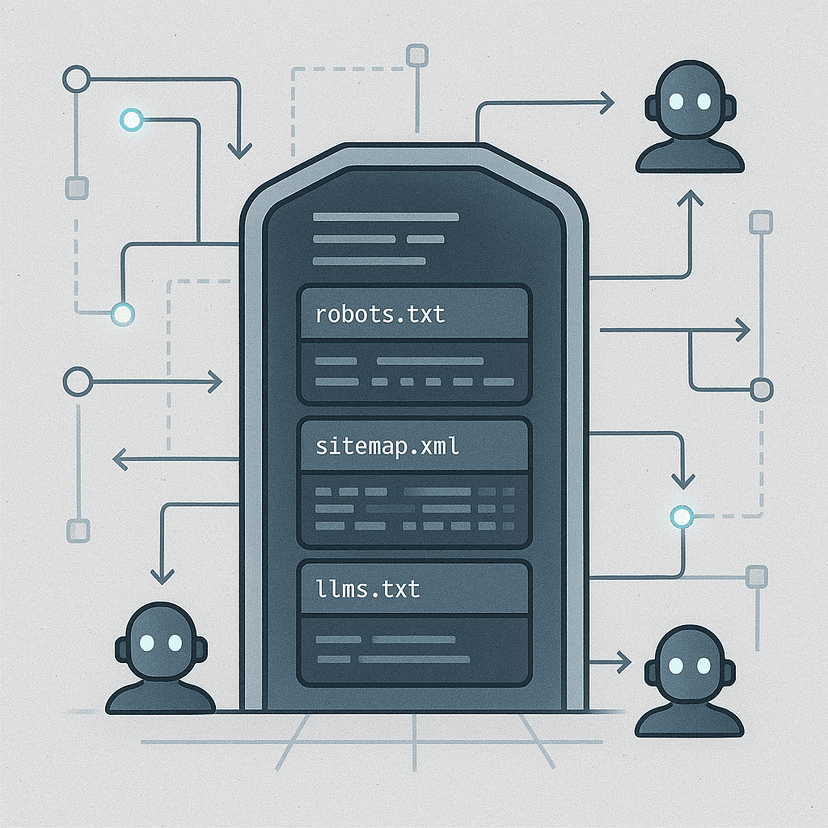
llms.txt is becoming the standard convention for AI agents, similar to robots.txt for web crawlers. It's a simple text file that provides context and navigation for agents visiting your site.
The Result: A Complete Agent Landing Zone
Now when an AI agent visits my site, they can:
- Discover who I am and what I do (hidden HTML content)
- Parse structured data about my credentials and services (JSON-LD)
- Navigate to relevant pages (navigation links in hidden content)
- Interact with API endpoints (agent booking endpoint)
- Reference comprehensive information (llms.txt)
And for human visitors? Nothing changed. The site looks exactly the same.
Why This Matters
We're at the beginning of a shift. AI agents are becoming the interface between people and the web. Instead of manually browsing, people will ask their AI assistants to research, book, and communicate on their behalf.
If your website isn't ready for that, you're invisible to an entire category of visitors.
Building an agent landing zone is like adding a front door for AI. You're not changing your house—you're just making it easier for a new type of visitor to find their way in.
What's Next?
This is just the foundation. The next steps are:
- Functional API endpoints that actually book meetings and send messages
- Agent authentication to prevent abuse
- Agent analytics to understand how AI assistants interact with the site
- MCP (Model Context Protocol) integration for richer agent interactions
But the landing zone comes first. You have to lay the tracks before the train can run.
Want to Build Your Own Agent Landing Zone?
This approach works for any website. Whether you're running a personal site, a business, or a SaaS product, making your site agent-friendly is becoming essential.
The code is straightforward. The concepts are simple. And the upside is huge—you're preparing for the future of web interaction.
If you want help implementing this for your site, or if you're thinking about more advanced agent integration, reach out or book a consultation. I'd love to help you build for the agent-first web.
💬 Want to see the agent landing zone in action?
Visit the homepage and view the page source,
or connect with me on 💼 LinkedIn and 🐙 GitHub.